
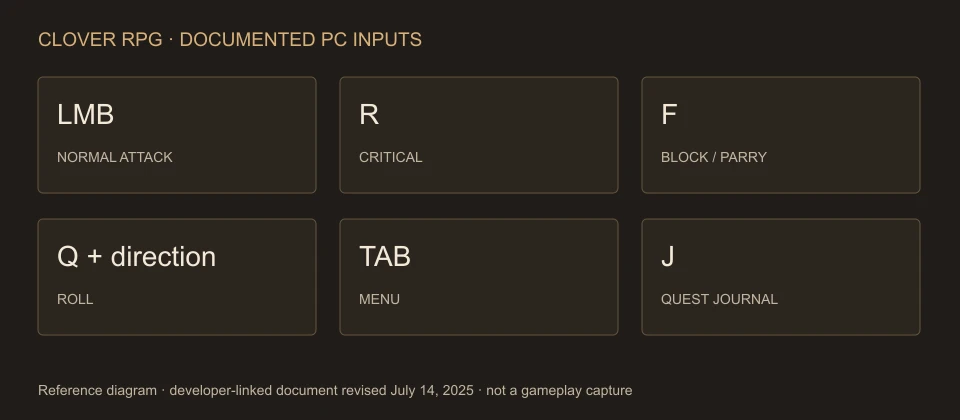
The developer-linked Clover RPG controls document lists LMB for a normal attack, R for a critical attack, F for block/parry, Q plus a movement key to roll, Tab for the menu and J for the Quest Journal. These are keyboard and mouse inputs from a document last revised July 14, 2025; console button mappings and release-version parity are not established by that document.
Developer input reference revised July 14, 2025, compared with community text captured October 25, 2026. No controller mapping or mobile support is inferred.
ON THIS PAGE
Combat inputs in the developer referenceMovement and climbingMenus, Journal and the Mission BirdConsole, settings and uncertain bindingsSources and document dateCombat inputs in the developer reference
The basic attacks apply with a fighting style equipped. Misdirect and the aerial attack have their own input order and condition; they are not extra synonyms for a normal attack.
Swipe or scroll sideways to see every column.
| Action | Input | Condition / result |
|---|---|---|
| Normal attack | LMB | A fighting style is equipped. |
| Critical attack | R | Listed separately from the normal attack. |
| Block / parry | F | The developer reference does not specify a frame window. |
| Misdirect | LMB, then RMB | Perform the alternative attack after the left-click input. |
| Aerial attack | Jump, then LMB while shift locked | The document describes knockdown on opponents. |
Movement and climbing
Swipe or scroll sideways to see every column.
| Action | Input | Required context |
|---|---|---|
| Sprint | WW / AA / SS / DD | Double-tap a movement key. |
| Roll | Q + movement key | Use the direction you want to move. |
| Climb | Space twice | Stand near a wall. |
Menus, Journal and the Mission Bird
The developer document lists Tab for the menu, J for the Quest Journal, N for emotes and P for cinematic mode. Community tutorial text additionally uses U for the Mission Bird and Inner Realm; that U mapping is a community addition to the older official reference.
For a stuck tutorial, use J to check the actual objective and the Kamo sequence to distinguish gathering, returning to the NPC and finishing the mission. For attribute meanings, see the stat table.
Console, settings and uncertain bindings
The official experience description lists PC and console. It does not provide a controller translation of the keyboard table. Consult the prompts shown by your own device instead of treating F, Q or Tab as console buttons.
Community pages describe holding F to block and tapping it just before a hit to parry. They also list crouching, sliding, roll-cancel and uppercut inputs beyond the developer document. Those additional mappings are not included as developer-confirmed controls here.
The sources do not establish a flight binding for the broom. Johan’s unlock can still be followed in the beginner guide, but this page does not invent an ascend, descend or dismount key.
Sources and document date
The developer-linked DevForum post was created in February 2022 and last revised on July 14, 2025. The supplied original JSON preserves that revision time. The age of the reference is a scope limit, not evidence that every input changed.